
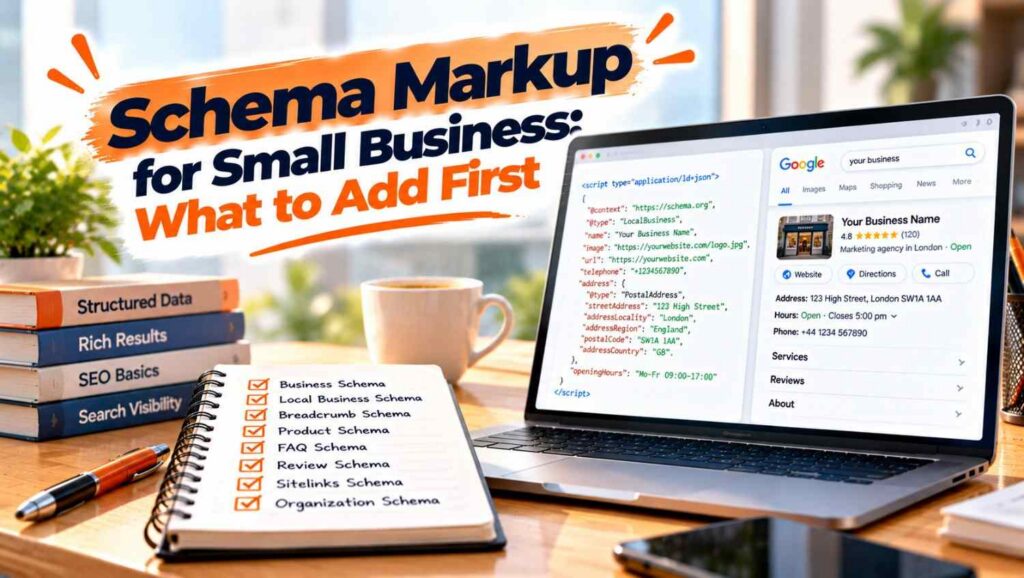

Schema markup small business websites should add first is Organization and LocalBusiness on the homepage, then Service or Product markup on key pages, then breadcrumbs. Use JSON LD, make sure it matches what visitors can see, and test it. Add review and FAQ markup last, because Google limits both.
- Schema markup small business sites can use is code that labels your name, address, services and reviews so search engines can read them without guessing
- Start with Organization and LocalBusiness on the homepage, because they describe who you are and where you operate
- Google recommends JSON LD where your setup allows it, and says markup must describe content visitors can see
- Google does not guarantee that structured data will produce rich results in search
- Reviews you control are not eligible for star ratings on LocalBusiness pages, and FAQ rich results no longer appear in Google
- Test with Google’s Rich Results Test and check Search Console after launch
Table of Contents
What schema markup small business sites actually need
Our guide to SEO for small businesses covers the wider picture, and schema is one small technical layer within it. It is a shared vocabulary from schema.org that you add to a page so machines can tell a phone number from a price or a business name from a product.
Google’s introduction to structured data says it supports JSON LD, Microdata and RDFa, and recommends JSON LD if your site’s setup allows it. JSON LD sits in a script tag, separate from your visible text, so a plugin or developer can add it without redesigning anything.
Be realistic about what schema markup small business owners can expect. Google says it does not guarantee that features using structured data will appear. LSEO and ProfileTree, both agencies that sell schema work, say it is not a direct ranking factor. ProfileTree argues it helps AI systems read facts, which is an opinion, not a measured result. Our post on SEO versus AI optimisation covers that side.
Schema markup small business priority order: 6 types
Our local SEO guide explains why consistent business details matter, and the six types below follow a sensible order. The order is our judgement. LSEO leads with LocalBusiness while ProfileTree leads with Organization, and neither publishes data behind its ranking.
1. Organization
Google’s Organization documentation says it helps Google tell your organisation apart from others, and that no properties are required. Recommended ones include name, url, logo (at least 112 by 112 pixels), sameAs links to your other profiles, contactPoint and address.
Put it on your homepage or about page. Google says you do not need it on every page. Use the most specific subtype that fits, such as a LocalBusiness subtype for a local firm.
2. LocalBusiness
Our Google Business Profile checklist covers keeping your details consistent, and your markup should match them. Google’s local business documentation requires name and address, and recommends telephone, openingHoursSpecification, geo coordinates, a working url and priceRange.
Use the most specific subtype available, such as Restaurant, DaySpa or HealthClub, which are Google’s examples. LSEO advises separate markup for each location, each with its own address and contact details.
3. Service or Product
Our website development service often adds this when building service pages. ProfileTree suggests a separate Service entry for each distinct service, so each offer is described clearly. We did not find a dedicated Service rich result in the Google pages we reviewed, so treat this as clear labelling, not a promise of stars or snippets.
Shops are different. Google describes Product and ProductGroup markup that tells it more about your products, and recommends supplying as much product detail as you have.
4. Breadcrumbs
Breadcrumb markup shows where a page sits in your site. Google’s breadcrumb documentation says a BreadcrumbList needs at least two items, each with a URL, a name and a position. It recommends trails that reflect a typical user path rather than mirroring the URL structure. Many themes and plugins add this automatically, so check before duplicating it.
5. Reviews, with a big caveat
Our guide to getting more Google reviews explains how to earn them honestly, and Google’s review snippet rules are strict. If a local business controls the reviews about itself, its LocalBusiness or Organization pages are ineligible for star ratings. That includes reviews pulled in through a third party widget.
Google also requires that ratings come directly from users, that reviews are visible on the page, and that you never include fake or undisclosed incentivised reviews. Breaking these rules can lead to a manual action. For most small firms, this means skipping review markup and earning stars in your Google Business Profile instead.
6. FAQ, last and only if it fits
Google’s FAQPage documentation now carries a changelog entry saying the FAQ rich result will no longer appear in Google Search from 7 May 2026. Before that, Search Engine Land reports that Google limited FAQ results to government and health sites in August 2023.
So do not add FAQ markup expecting a bigger listing. Keep your questions on the page for readers, which is useful on its own. That documentation page was long and we read only the first part, so check it yourself before relying on our summary.
How to add schema markup small business sites can maintain
Our guide to why a site might not show on Google shows how fragile technical setups can be, so choose a method you can maintain. SEO plugins such as Rank Math can add several schema types through settings, and a developer can add custom JSON LD where needed. Avoid running two plugins that each output the same type, because LSEO warns that combined schemas must not conflict.
Start small with your schema markup small business rollout. LSEO suggests beginning with the homepage and one product or service page, then expanding. Test each page with Google’s Rich Results Test while building, then watch the rich result status reports in Search Console, because Google notes that templating or serving issues can break markup later. The URL Inspection tool confirms whether Google has found your structured data.
Update your schema markup small business details whenever opening hours, phone numbers or addresses change. Stale schema is worse than none.
Schema markup small business mistakes to avoid
Our post on why competitors rank above you mentions schema as one of several things to compare, and these are the mistakes that waste the effort.
Google says not to add structured data about information that is not visible to the user, even if it is accurate. It also says fewer complete, accurate recommended properties beat many incomplete or wrong ones. Other common errors are copying another firm’s markup without changing the details, inflating review counts, marking up pages that are mostly promotional, and expecting a ranking jump from schema alone.
Examples
These are illustrative scenarios rather than client case studies, but they show how schema markup small business owners use tends to play out.
A plumber added LocalBusiness markup with the address, phone number and opening hours that appeared on the contact page. The details matched the Google Business Profile, so nothing conflicted.
A boutique added star ratings from its own testimonials to its LocalBusiness page. Under Google’s rules for self controlled reviews, those pages are not eligible for stars, so it removed the markup.
A consultant used schema markup small business advice from a blog and added FAQ markup hoping for a larger listing. Since FAQ rich results no longer appear, it kept the questions on the page for readers and removed the markup.
Ready to add your schema
Accurate markup helps search engines understand your business without guesswork. At Atomic Artisans we add schema markup small business sites can maintain as part of our SEO services. Take a look at our pricing, book a call with our team, or get in touch through our contact page to get started.
