
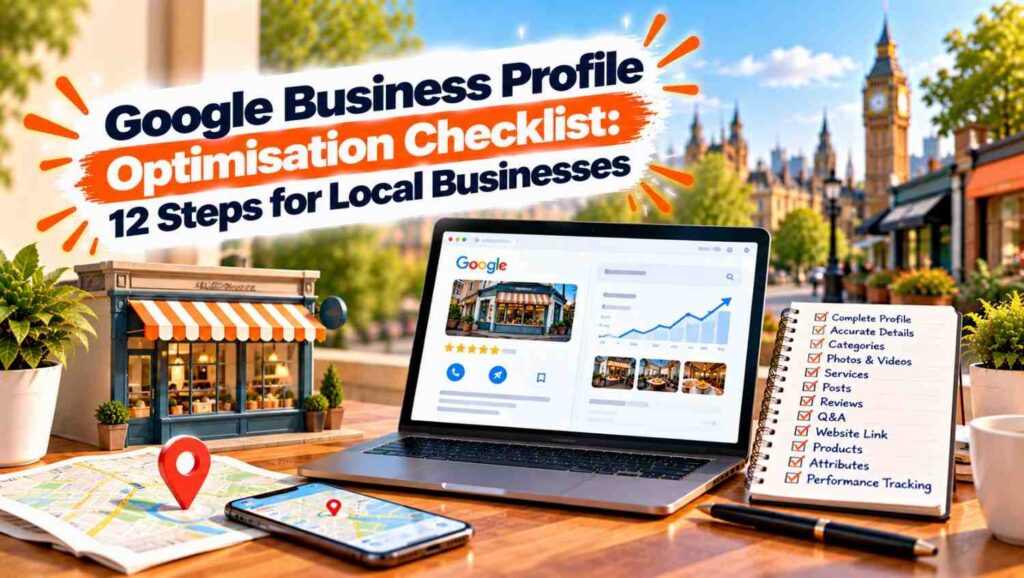

Google Business Profile optimisation means making your listing complete, accurate and active so Google can match it to local searches. Verify the profile, use your real business name, choose precise categories, keep your details current, add photos, collect genuine reviews and reply to them. Google bases local results on relevance, distance and prominence.
Table of Contents
- Google Business Profile optimisation starts with verifying the profile and using your real business name.
- Google says local results are mainly based on relevance, distance and prominence.
- Precise categories, accurate details and a clear description help Google understand what you offer.
- Photos, videos and regular posts keep the profile useful and active.
- Genuine reviews, and your replies to them, help your profile stand out.
- Nobody can pay for a better local ranking on Google, so accuracy and consistency do the work.
What Google Business Profile Optimisation Actually Involves
Our guide on what local SEO is explains how your profile fits into the bigger picture, and the profile is usually the single biggest lever for local visibility. Google Business Profile optimisation is the process of filling in every relevant part of your listing accurately, then keeping it fresh.
Google’s own help page on improving local ranking says local results are mainly based on relevance, distance and prominence. Relevance is how well your profile matches the search, distance is how far you are from the searcher, and prominence is how well known your business is. You cannot change distance, but you can influence the other two.
Google is also clear that there is no way to request or pay for a better local ranking. That is good news for honest businesses, because the work below is available to everyone.
The Google Business Profile Optimisation Checklist
Work through these twelve steps in order. Most take minutes, and together they cover what Google recommends.
1. Claim and Verify Your Profile
Our article on why a business may not show up on Google Maps lists unverified profiles as a common cause. Google says verification signals that you are authorised to represent the business, which makes it more likely to appear in results. Complete verification first, before anything else.
2. Use Your Real Business Name
Google’s guidelines for representing your business say your name should reflect your real world name, as used on signage, your website and stationery. Taglines, hours, phone numbers and service descriptions do not belong in the name. Adding keywords to your name goes against Google’s guidelines, so avoid it.
3. Choose Precise Categories
Your primary category tells Google what you are, so pick the most specific one available. Google advises using as few categories as possible to describe your core business, and not using categories as keywords. Harri Digital notes you can add up to nine secondary categories, but only add ones that genuinely describe what you do. Good Google Business Profile optimisation favours precision over volume.
4. Set an Accurate Address or Service Area
Use a precise address, and never a PO box or remote mailbox. If you travel to customers and do not serve people at your premises, Google says to hide the address and define a realistic service area instead. Each location should have only one profile.
5. Keep Your Opening Hours Accurate
Give your regular customer facing hours, and update them for bank holidays and seasonal changes. Wrong hours frustrate customers and, according to Google, inaccurate information can keep a profile from showing for relevant searches.
6. Write a Clear Description
The description should explain what you offer, your history and what makes you different. Google says not to include promotions, prices or sales, and that no links of any type are allowed. Harri Digital gives the limit as 750 characters, so lead with the most important points.
7. Add Services and Products
List the services you provide with short, plain descriptions. This helps Google match your profile to more specific searches, and it helps customers decide quickly whether you are right for them.
8. Add Photos and Videos
Google says photos and videos help show customers what you offer. Include your premises, your team, your work and your products, and add new ones regularly so the profile does not look abandoned.
9. Collect Reviews the Right Way
Google says more reviews and positive ratings can help your local ranking. Ask satisfied customers soon after a good experience, and make it easy with a direct link. Never offer rewards for reviews, because Google prohibits incentivised reviews. Reviews are one of the most visible parts of Google Business Profile optimisation.
10. Reply to Every Review
Google notes that replying to reviews shows you value feedback. Thank people who leave good reviews, and respond to critical ones calmly, offering to put things right offline. Future customers read your replies as well as the reviews themselves.
11. Post Updates Regularly
Posts let you share offers, news and events directly on your profile. Harri Digital suggests one or two a week, though that is a vendor recommendation, not a Google rule, so choose a rhythm you can actually keep up.
12. Keep Your Details Consistent Across the Web
Prominence includes links from other websites, according to Google. Make sure your name, address and phone number match on your website, social profiles and directories, and link your profile to the most relevant page of your site.
Common Google Business Profile Optimisation Mistakes
Our Local SEO Kent guide shows how profile work fits a wider local strategy, and it highlights the errors that cost businesses visibility. The most common are keyword stuffed names, too many categories, outdated hours, duplicate profiles and ignored reviews.
Another frequent problem is treating Google Business Profile optimisation as a one off task. Details change, customers leave new reviews and competitors improve, so a quarterly check keeps your listing accurate.
How to Measure Your Google Business Profile Optimisation Results
Our guide to how long SEO takes sets realistic expectations, and local profiles tend to move faster than websites, though not instantly. Track calls, direction requests and website clicks from your profile, and compare them month by month.
If you want help, our local SEO services cover profile setup, review strategy and ongoing management. For wider context, our SEO for small businesses guide shows where the profile sits alongside your website.
Examples
These are illustrative scenarios rather than client case studies, but they show how Google Business Profile optimisation tends to play out.
- A hairdresser had added keywords to the business name, hoping to rank higher. After the name was corrected to match the shop sign and the categories were trimmed, the profile followed Google’s guidelines and was easier to maintain.
- A mobile electrician listed a home address publicly and received unwanted visitors. Hiding the address and setting a sensible service area matched Google’s guidance for businesses that travel to customers.
- A café asked every happy customer for a review using a simple link at the till. Over a few months the steady flow of genuine reviews, along with prompt replies, made the profile look active and trustworthy.
Ready to Get More From Your Google Business Profile
A complete, accurate and active profile helps local customers find you and trust you. At Atomic Artisans we handle profile setup, reviews and ongoing local visibility through our local SEO services. Take a look at our pricing, book a call with our team, or get in touch through our contact page to get started.
