
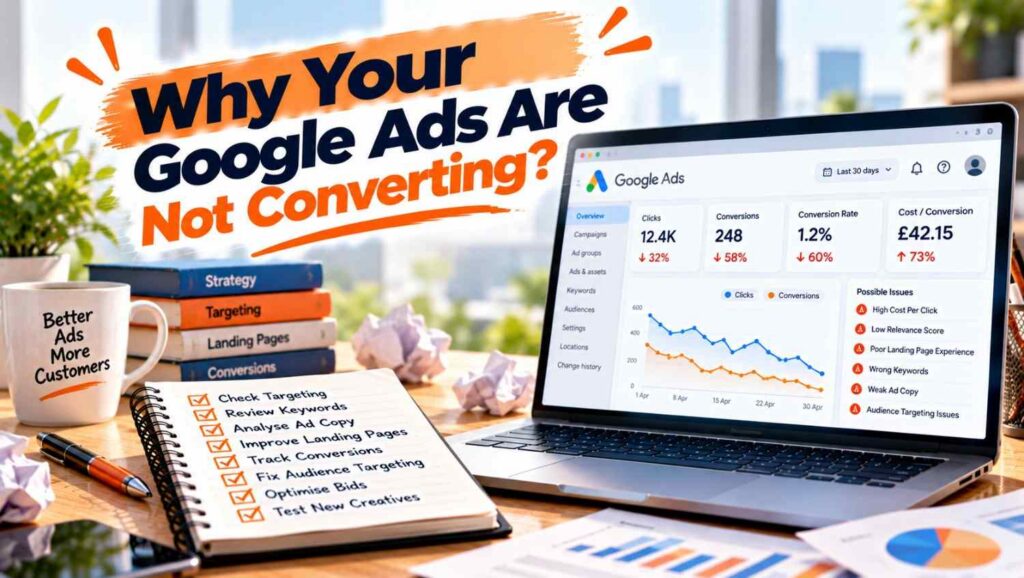

Google ads not converting is usually caused by one of five things: broken conversion tracking, search terms that do not match what you sell, a landing page that does not match the ad, wrong location settings, or too little conversion data for automated bidding. Check them in that order before you raise your budget.
- Google ads not converting is often a measurement problem first, so confirm your conversion tracking records real enquiries before changing anything else
- The search terms report shows the exact searches that triggered your ads, and negative keywords stop the ones that do not fit
- Google says specific keywords tend to convert better than general ones
- Google’s default location setting includes people who show interest in your area, not only people who are in it
- Smart Bidding only works when conversion tracking is installed, so bidding cannot improve what it cannot see
- Change one thing at a time and give each change time before judging it
Table of Contents
Why Google ads not converting is a diagnosis problem
Our guide to what Google Ads cost in the UK explains why cost per lead matters more than cost per click, and the same logic applies here. Clicks are not the goal when Google ads not converting is your problem. A conversion is the action you want, such as a call, a form or a purchase.
Google’s conversion tracking guidance says that to improve your return on investment, you first need to start measuring conversions. So before you blame the ads, make sure the numbers are real. Also remember that conversions can be reported some time after the click, so the last few days can look worse than they are.
Google ads not converting: 7 checks in order
Our Google Ads management service starts with these checks for any account with Google ads not converting, and you can run most of them yourself in an afternoon. The order matters because each step depends on the one before it. The checklist draws on Google’s help pages and on diagnostic guides from NestScale and Clicks Geek. Both sell ad tools or management, and neither backs its numbers with data.
1. Is conversion tracking working?
Clicks Geek lists the usual faults: conversion actions that never record, duplicate tags, thank you pages that redirect before the tag fires, forms that do not trigger the event, and tags that work on desktop but fail on mobile. NestScale suggests checking the tag status in your account and testing with Google Tag Assistant. NestScale sells an ad tracking tool, so weigh that advice accordingly.
The simplest test is to complete a form or call yourself and see whether it appears. Our guide to SEO reporting metrics explains how key events work in Google Analytics.
2. Are the search terms right?
Google’s search terms report guidance says to review the queries that triggered your ads and add the ones that do not fit as negative keywords. Its conversion rate advice gives an example: if you do not offer free products, exclude the word free.
The same page says specific keywords often convert better than general ones. Clicks Geek adds that informational and DIY searches can eat budget, and that broad match can attract irrelevant traffic.
3. Does the landing page match the ad?
Google’s landing page experience definition calls it how relevant and useful your landing page is to people who click, rated against other advertisers for the same search. It is part of Quality Score, which Google says is a diagnostic tool and not an input in the auction.
Our website development service often fixes this part. Agencies add practical points: a headline that echoes the ad, a visible call to action, and forms that work on every device. Clicks Geek suggests mobile speed thresholds, but gives no source for them, so test your own page instead.
4. Are your location settings too wide?
Google’s location targeting help page says the default option reaches people who match either presence or interest. That includes people who have shown interest in an area, such as through past searches, even if they are not there. Google also says targeting is best effort, not exact.
For a local service with Google ads not converting, that can mean clicks from people you cannot serve. Switching to presence only is our suggestion for many local businesses, but test it first.
5. Does bidding have enough data?
Google’s Smart Bidding page says advertisers need to install conversion tracking for Smart Bidding to work. Clicks Geek says Google recommends at least 15 to 30 conversions a month for automated strategies, but it gives no citation, so treat that as a rule of thumb.
NestScale warns about unrealistic targets, such as a target cost per acquisition far below what your sector costs. If your target is too low, the system may not spend.
6. Does the ad make an honest, specific promise?
Generic headlines are a common reason for Google ads not converting. Clicks Geek lists missing benefits, missing trust signals and low ad strength as common problems. Google suggests testing prices in ad text: rotate one ad with prices against one without and compare click through and conversion rates.
7. Is the problem after the click?
Our post on why Facebook ads spend money without results covers the same problem in a different channel. This one is our own judgement, not a sourced finding: even good traffic fails if calls go unanswered, forms get slow replies or the price on the page surprises people.
How to fix Google ads not converting without more spend
Our guide to choosing a digital marketing agency suggests asking how a provider diagnoses problems, and the process is simple. Fix tracking first, then search terms, then the landing page. Add negative keywords weekly while the account is young.
If you want help, our Google Ads management fees guide explains what agencies charge. Change one thing at a time and keep a log of what changed and when. Clicks Geek recommends a change log and alerts for sudden drops, which is sensible practice. Do not judge a change after a day or two.
When Google ads not converting is not an ads problem
Our comparison of SEO versus Google Ads explains when each channel fits, and sometimes the channel itself is the issue. If few people search for your product, search ads will struggle however well they are built. Our guide to Google Ads versus Meta Ads covers when demand creation suits better than demand capture.
Other causes of Google ads not converting sit outside the account: a weak offer, prices above competitors, or a website that loses trust. Fixing the ads will not help if people do not want what the page offers.
Mistakes that make things worse
The most common mistake with Google ads not converting is raising the budget before finding the leak. More spend on broken tracking only produces more unmeasured clicks. Others are changing many settings at once, switching to automated bidding without conversion data, judging performance after a few days, and ignoring the search terms report for weeks.
Examples
These are illustrative scenarios rather than client case studies, but they show how Google ads not converting is usually diagnosed.
A plumber saw clicks but no leads. The form button redirected before the conversion tag fired, so leads were happening but not recorded.
A solicitor found the search terms report full of people looking for free advice. Adding negative keywords and a tighter landing page headline removed most of the waste.
A salon targeted its city using the default setting. Many clicks came from people searching for travel plans, so presence only targeting improved relevance.
Ready to fix your Google ads
Clear diagnosis turns wasted clicks into enquiries. At Atomic Artisans we audit accounts with Google ads not converting and rebuild what is broken through our Google Ads management service. Take a look at our pricing, book a call with our team, or get in touch through our contact page to get started.
